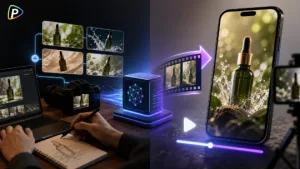
A 30-second product ad needs to show the product, demonstrate its value, and keep the story moving. Creating it from several short AI clips can make product details, lighting, and scenes look inconsistent.
Seedance 2.5 on Pollo AI offers another approach: generating a longer product video as one sequence, with product images and other references provided up front.
What Is Seedance 2.5 on Pollo AI?
Seedance 2.5 is an AI video generation model from ByteDance. Pollo AI integrates the model into its video creation platform, allowing users to generate Seedance 2.5 videos directly through Pollo AI. It supports text-to-video, image-to-video, native 30-second generation, multimodal references, and local video editing.
With Seedance 2.5 on Pollo AI, users can also access other AI video models and tools on the same platform, making it easier to try different approaches without switching between services.
Why Use Seedance 2.5 for Product Ads?
The native 30-second generation is the main reason to consider Seedance 2.5 for product advertising. It gives enough room for a simple sequence: introduce the product, show it in use, highlight a benefit, and finish with a product shot.
Its reference support is also useful when product appearance matters. Instead of relying entirely on text to describe a product, creators can provide product images to guide the generation. For other video creation needs, tools such as the Steve AI video generator are also available on the platform.
How to Create a 30-Second Product Ad with Seedance 2.5 on Pollo AI
Step 1: Prepare the Product References
Start with clear product images. Use photos that show the product’s shape, packaging, logo, and important details.
For example, a portable coffee maker might need one main product shot, one close-up, and one lifestyle image showing how it is used.
Avoid uploading images with different product versions or conflicting colors. If the source image already has a blurry logo or distorted packaging, the generated video may reproduce the problem.
Step 2: Write a Simple 30-Second Prompt
The prompt should explain what happens rather than simply describe a visual style.
For example:
Create a 30-second product ad for a portable coffee maker. Start with a traveler preparing coffee in a hotel room. Show the product being used in close-up, then show the finished coffee being poured into a cup. End with a clean product shot beside a travel bag. Keep the product design and lighting consistent throughout. No subtitles or text overlays.
Time cues can help when the order of events matters. Pollo AI notes that Seedance 2.5 supports time-coded instructions.
A common mistake is trying to fit too many scenes into 30 seconds. One product and one clear selling point are easier to control than a long list of features.
Step 3: Generate the Video in Pollo AI
Open the Seedance 2.5 page on Pollo AI and choose the generation mode. The platform provides Text/Image to Video, Image to Video, and Text to Video options.
For an existing product photo, image-to-video is often the more practical starting point. Upload the reference, enter the prompt, and generate the video.
At this stage, check the product first. Make sure its shape, color, packaging, and logo stay reasonably consistent before judging the overall visual style.
Step 4: Check for Common AI Video Problems
A video can look good at first glance but still have problems that matter in an advertisement.
Check whether the product changes shape between shots, whether hands interact with it naturally, and whether important actions happen at the right time. Also watch the ending: the product should remain visible long enough for viewers to understand what is being promoted.
If unwanted text, subtitles, or music appear, add clear exclusions to the prompt. Pollo AI specifically notes support for negative instructions such as “no subtitles” and “no BGM.”
Step 5: Edit the Problem Area
If the overall video works but one detail is wrong, Seedance 2.5 on Pollo AI supports local editing for specific elements. For example, a creator may be able to change a prop, background element, or clothing detail without rebuilding the entire sequence.
This can save time when the problem is minor. If the product itself changes dramatically or the whole sequence loses continuity, however, changing the references or prompt and generating a new version is usually more practical.
Tips for a Better Product Ad
Keep the concept simple. A 30-second ad does not need to demonstrate every product feature. One clear problem, one useful benefit, and one strong product shot are often enough.
Use consistent product references and keep the prompt focused on actions and camera movement. It is also usually easier to add final captions, music, voiceover, or a call to action during editing rather than asking the model to generate everything.
Pollo AI lists native 4K output for Seedance 2.5, but the final resolution should still match the platform where the ad will be published.
Conclusion
Seedance 2.5 on Pollo AI can be a practical option for 30-second product ads because it combines longer video generation with extensive reference support and targeted editing.
The key is to keep the workflow simple: prepare reliable product images, write one clear product story, generate it in Pollo AI, check the output carefully, and fix only the parts that need changing.